


Collect useful feedback, understand the signals, and read the reviews behind every chart. Sentiment is a separate studio unlock from Analytics.
Read your sentiment report#
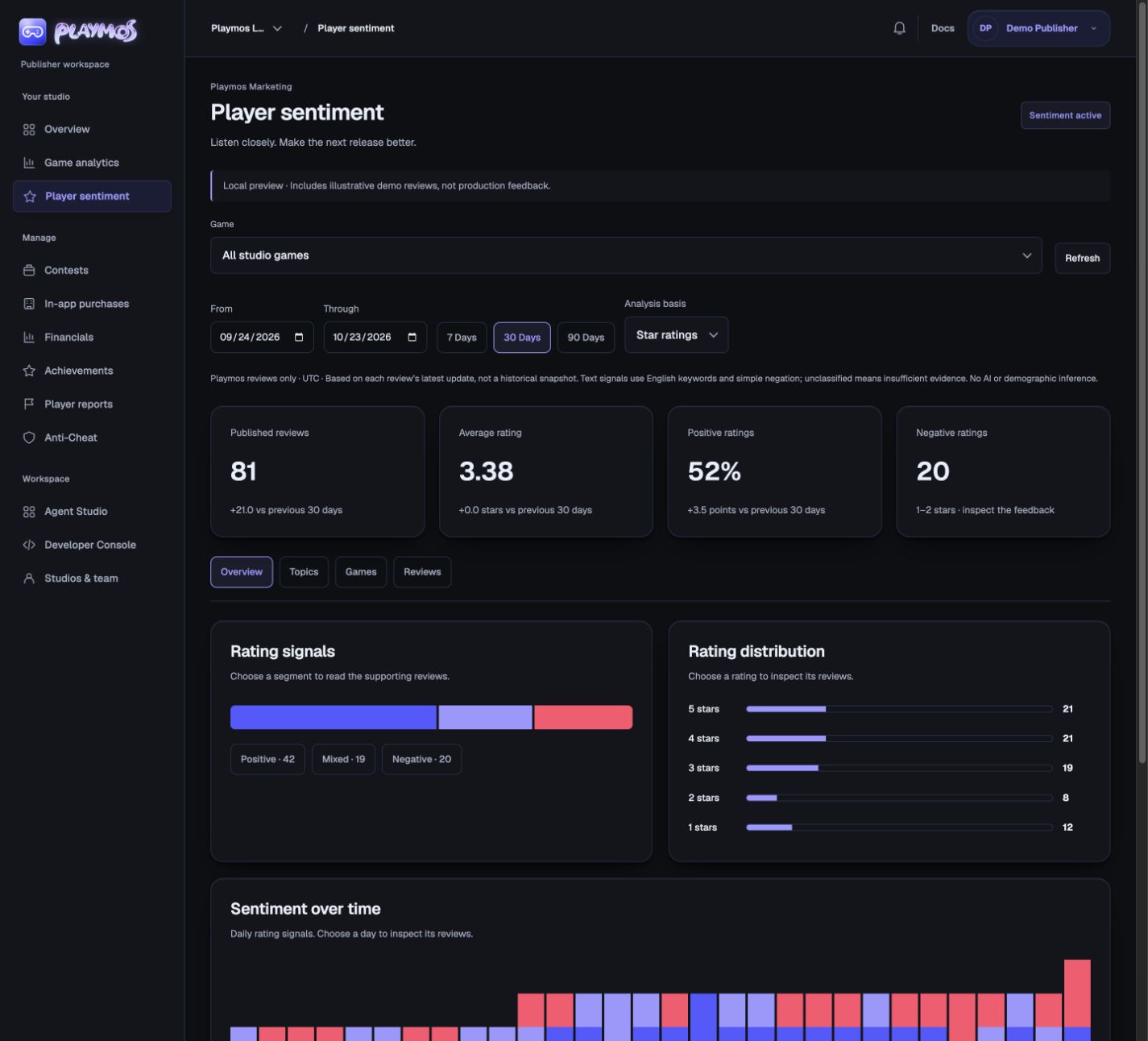
Open Publisher → Player sentiment. Choose a game and a date range. Overview shows published review volume, average stars, positive rating share and negative rating count. Comparisons use the immediately preceding period of the same length; a missing baseline is shown as unavailable.
Follow the evidence#
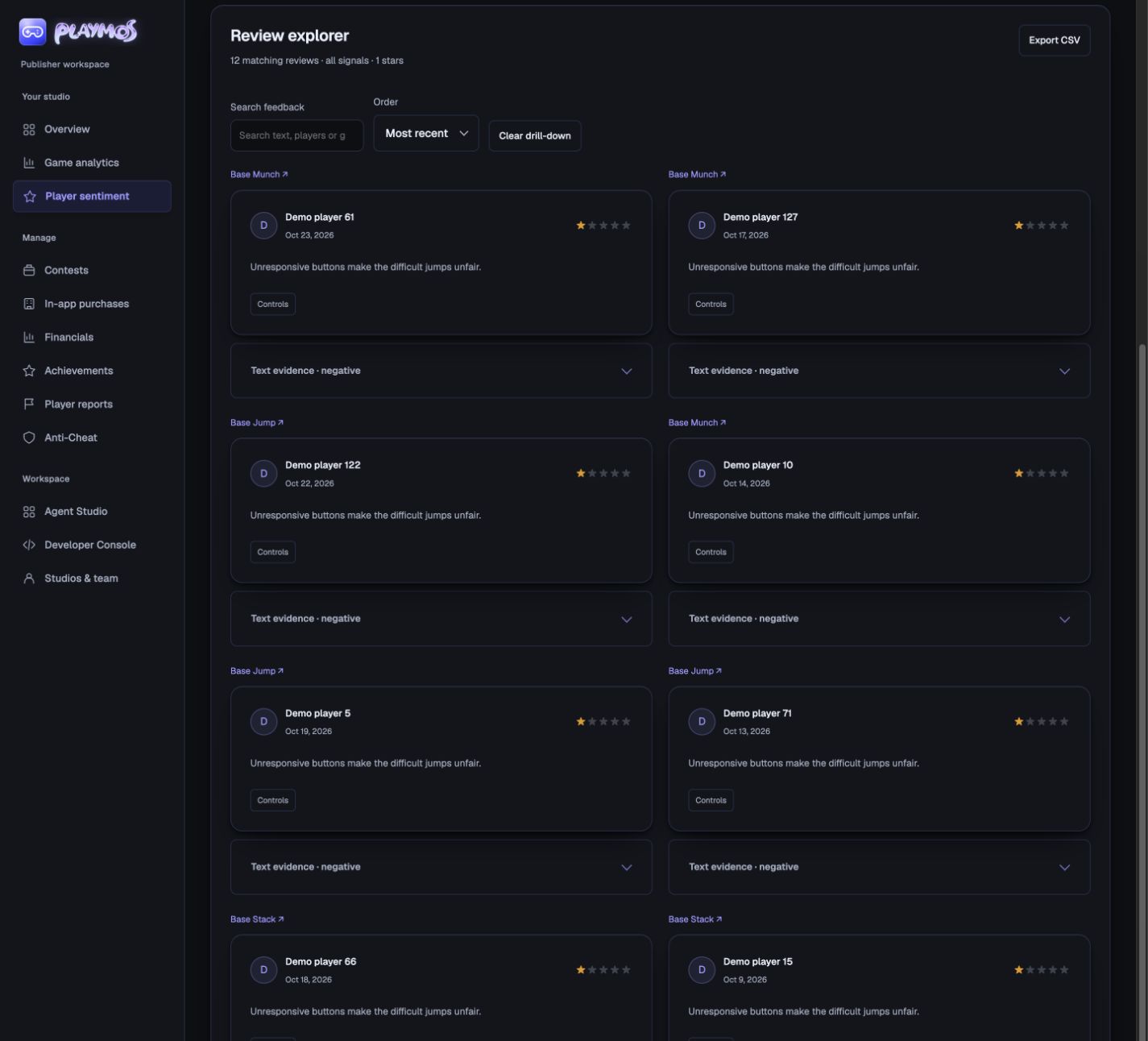
- Choose a signal, star rating or day to open its supporting reviews.
- Use Topics to inspect recurring feedback. Player-selected topics and English keyword matches can overlap.
- Use Games to compare published feedback across your studio. Fewer than five reviews is marked as a small sample.
- Search review text, player display names or games. Sort by recent, lowest or highest rating. Clear drill-down returns to all matching feedback.
- Export the filtered reviews as CSV for your own analysis. This exports only the reviews visible to your studio, without account IDs or email addresses.
Keep ratings and text separate#
Star signals classify 4–5 stars as positive, 3 as mixed, and 1–2 as negative. Text signals use a small English keyword vocabulary with simple negation. A review containing both praise and complaints is mixed; no matching words means unclassified. Expand Text evidence to see the matched words. This is a heuristic, not AI, a translation service or a complete understanding of intent, sarcasm or abuse.
Dates use the review’s latest update in UTC. Edits return to moderation. These charts describe currently published reviews, not an immutable history of sentiment or release attribution. Regional maps, demographics, external social listening and ROI are not collected or inferred.
Inside Playmos Hub#
The Hub owns review collection. Players use Write a review on the game page, or Game options → Review this game from the play stage. Do not add another automatic in-game review prompt for Hub players.
Inside your standalone game#
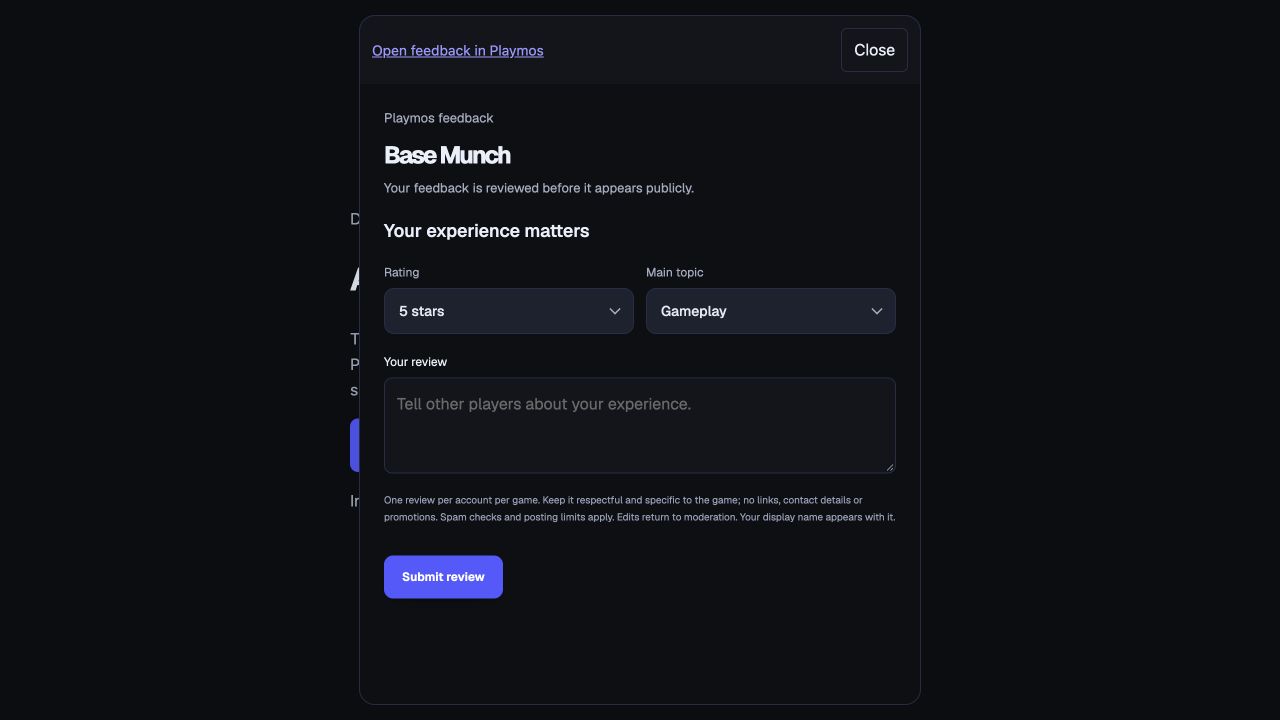
In the sentiment workspace, expand Collect feedback in your game, choose your game, and copy its snippet. This is an optional hosted web widget; it does not require an npm SDK upgrade. It opens a compact Playmos-hosted form in a dialog. The player signs in with Playmos and submits on the Playmos origin. Account credentials never go to your game.
<script defer src="https://YOUR_HUB_ORIGIN/feedback.js" data-game-id="YOUR_GAME_ID" data-launcher="true"></script>
Replace the origin and game ID using the snippet generated by your workspace. For a button you control, omit data-launcher and call window.PlaymosFeedback.open() after the script loads. Use an intentional button or a suitable break after play; there is no automatic survey interruption. open() returns false when the Hub owns collection. destroy() removes the widget and its listeners.
The widget verifies an exact-origin, nonce-bound response from its parent Hub before suppressing itself. Standalone pages keep the widget. It never reports reviews, identity or credentials to the parent game. If third-party cookies, your CSP, frame-ancestor policy or webview block the form, the dialog’s Open feedback in Playmos link is the fallback. Do not weaken global security headers to make an embed work. Native apps can open the same feedback URL in a secure browser; native SDK survey components are not included.
Safety, access and limits#
Players can save one review per account per game. All new or edited reviews require Playmos moderation. Deterministic safety checks reject known profanity, slurs, explicit threats, promotional links, contact details, markup and repetitive text. Limits allow up to three changes per game per ten minutes, five per account per hour and twenty per day. They survive deletion and restart; identical retries do not reset approval. These controls reduce abuse and do not replace human review.
Publishers see published reviews only for their active studio. Internal reviewers can inspect pending and hidden reviews and approve the exact revision they read. The report supports up to 10,000 matching reviews per request; narrow the period or choose a game when asked. Feedback collection remains separate from paid report access, and Analytics access does not unlock Sentiment.