



Publisher Financials
Keep a saved payment ledger for your studio, add bookkeeping notes and prepare records for your accountant.
Open your studio ledger#
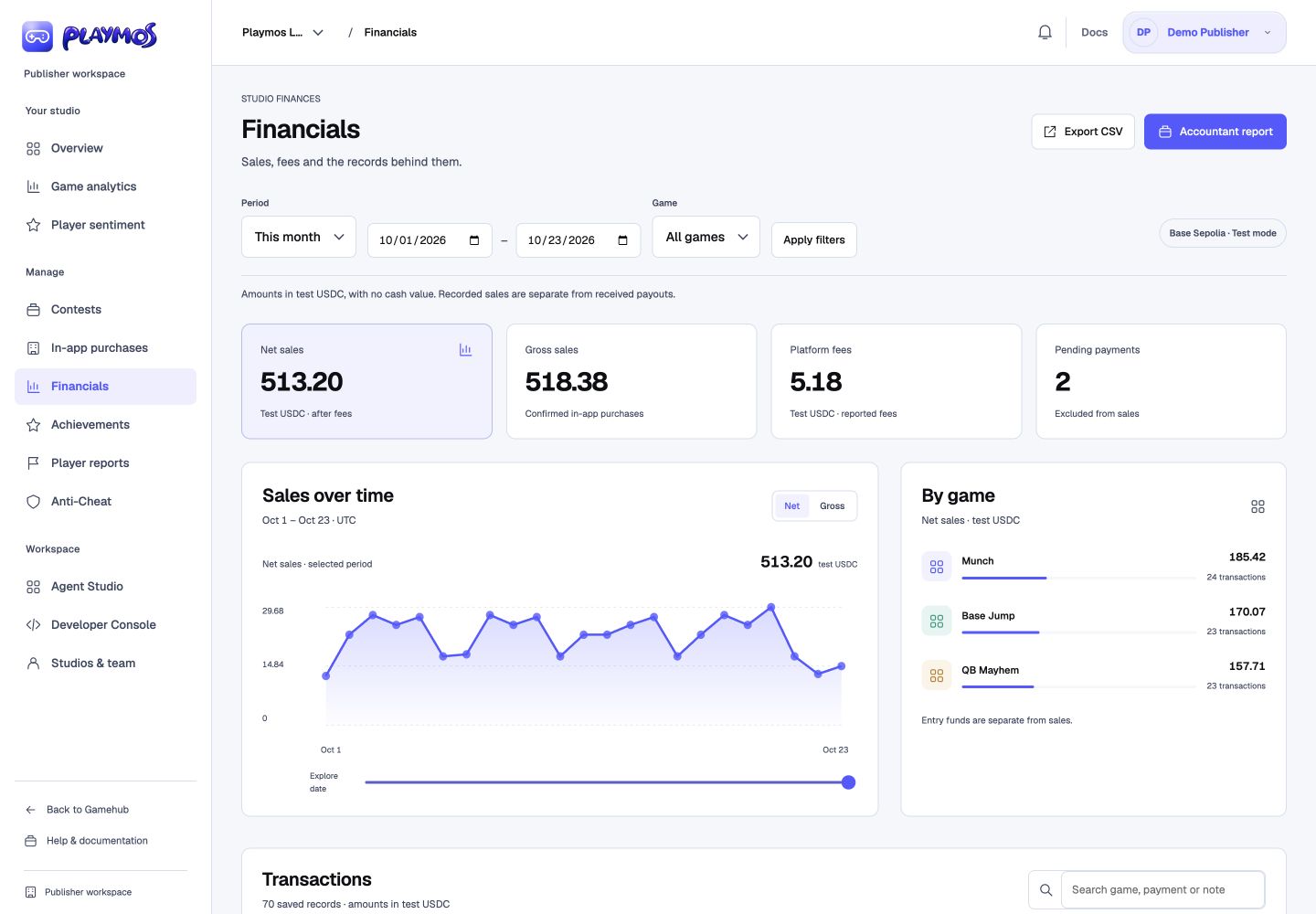
Choose Financials under Manage in the publisher dashboard. Choose a period shortcut or custom UTC dates, and optionally select a game. The ledger shows 50 saved payments per page. Summary totals and charts cover the whole selected period. Switch Net/Gross in Sales over time, explore dates, or select a game from the breakdown. Search transactions by game, payment ID or note; use status filters to find pending, failed or unreviewed records.
Playmos maintains the history#
The dashboard reads records already stored by Playmos. It does not fetch your entire payment history when you open it. A server worker checks for collection work every minute, backfills older payments, refreshes payment status and makes a full history reconciliation due each day. Collection continues while the Hub is running, even when nobody opens Financials.
Sync progress survives service restarts, duplicate records do not count twice, and receipt changes retain their previous evidence. The page shows its saved coverage time and any sync warning. Records and bookkeeping remain available if the payment service is offline or your connection needs attention. No separate cron setup is required.
Keep light bookkeeping#
Select View to open the detail panel and inspect the payment ID, fee/net and chain transaction. Choose a category, add an accountant note, optionally mark it reconciled against your records, then select Save bookkeeping. Unsaved changes disable exports. Studio view access permits reading/exporting; bookkeeping edits require edit access.
Reconciled manually is your own bookkeeping marker. Check chain receipt separately asks the payment service for an authoritative receipt and stores the resulting verification evidence and time.
Understand the totals#
| Summary | Meaning |
|---|---|
| Gross sales | Confirmed in-app purchase amounts in the saved ledger; not proof of money received by your studio. |
| Platform fees | Exact fees returned by the payment service for those purchases. |
| Net sales | The receipt’s net amount; not a studio payout or wallet deposit. |
| Pending payments | Created or pending records, excluded from sales totals. |
Contest entry funds and created/pending/failed purchases are excluded from sales totals. Saved confirmation status and chain-verification evidence are distinct. The current ledger does not include production income, studio payout transfers, withdrawals, bank deposits, gas, refunds, exchange rates or tax valuations.
Export for your accountant#
Export CSV downloads exact amounts, payment and transaction IDs, status, verification time, categories, reconciliation and notes. Accountant report opens an accountant report preview; use its print button to save a PDF.
Both options cover the selected dates and game across every page; table search and status filters do not narrow the export. The dashboard shows two decimals for readability while exports preserve all six. Both read a fresh snapshot of the saved Playmos ledger. The report carries its studio, date range, testnet currency, saved coverage time and any sync warning. Incomplete periods cannot be exported as complete records. Choose a shorter range or one game if an export exceeds 10,000 payments. Date ranges can cover up to 367 days.
Connect the existing payment source#
Background collection uses your studio’s existing server-side SDK connection from Developer Console → Keys & webhooks. Credentials stay on the server. Connecting a wallet alone does not populate Financials. Playmos retains saved history if the SDK connection expires or is removed.
For actual payout setup and settlement checks, use Payments & settlement and the payouts guide. Financials does not initiate a payment, settle a contest or withdraw money.