


Build on Playmos Games
Make a new game without rebuilding everything around it. Playmos Games combines reusable game foundations, portable player identity and platform services with an agent-driven development workflow.
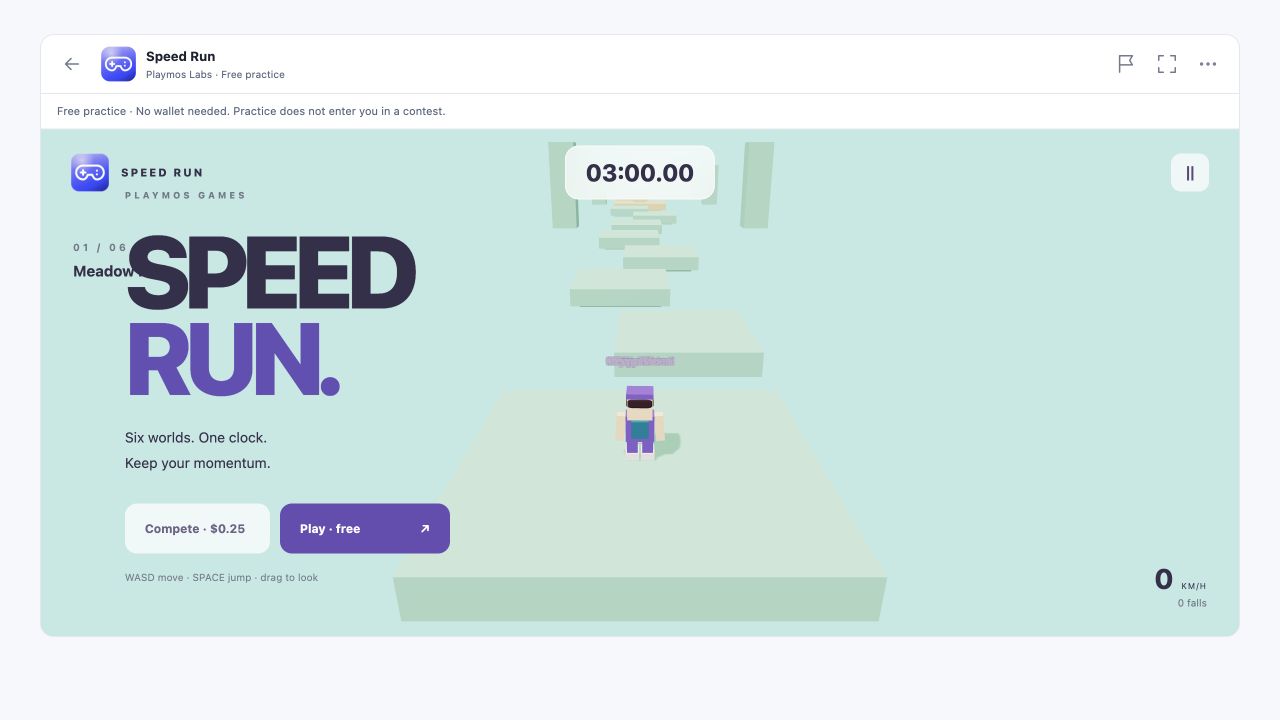
You own what makes the game yours: its rules, world, art, camera and feel. The shared platform gives compatible games a familiar player experience and gives your agent a project it can understand, change and test. Skyline Trials and Speed Run are our first reference games built on those shared pieces.
One platform, many different games#
| Layer | What it gives you | What you decide |
|---|---|---|
| MCP Studio · authoring | A game brief, SDK-aware agent guidance, versioned playable builds, preview feedback and an explicit release workflow. | The idea, creative direction and which changes to keep. |
| Games runtime · reusable foundations | Validated configuration, a fixed-step clock, run lifecycle, local progress, avatar rendering and animation. | Rules, scoring, stages, movement, camera, presentation and assets. |
| Player identity · PlayMO | A common avatar profile and look across compatible games, with an account wardrobe. | How to present that avatar in your game without changing its account-owned appearance. |
| Platform services · selected capabilities | SDK connections for input, consented analytics, competition, Live presence and account rewards. | Which capabilities suit the game and which service integrations to implement. |
This is a shared foundation, not a requirement to make every game a parkour course. A puzzle game can use the run lifecycle and progress model without movement or gamepad input. A runner can add PlayMO rendering, named practice rivals and optional controller support. An existing game can adopt individual SDK capabilities without replacing its engine.
The player carries their PlayMO#
A player’s PlayMO belongs to their account. They dress it in My PlayMO!, then compatible games read the profile through the SDK and render the same recognizable character. Hair, beard, headwear, accessories, shirt, pants, backpack and shoes travel as equipped appearance. The shared rig and animations save each game from rebuilding that character system.
The profile also carries collectibles and namespaced portable attributes. The account server owns those records; a game explicitly chooses which attributes it understands. They are not automatic cross-game powers. Our reference games currently consume appearance. Dressing stays in the wardrobe, and cosmetics remain separate from collision and competitive scoring. See PlayMO portable avatars for the profile and integration details.
From an idea to a playable game#
- Describe the game in Agent Studio. Open Workspace → Agent Studio, give the agent a brief and connect it to that game session. Keep creative decisions in your conversation with the agent.
- Let the agent discover the platform. It reads the brief and calls
playmos_get_games_frameworkfor the runtime, starter source, configuration schema, available capabilities and developer guides. There is no separate Games CLI. - Build the game-specific parts. The agent edits configuration, rules, scene and assets, reuses appropriate runtime modules and tests a complete playable loop. It chooses input methods for the game; gamepad support is optional.
- Play a version and give feedback. The agent returns a versioned demo. You can compare builds, share a practice preview and ask for changes. The pinned engine is frozen into the saved build, so later engine updates do not silently change it.
- Release the version you choose. Export a self-contained browser build, or follow the publisher’s hosting and review workflow. A preview is not a published game; approval and service activation remain explicit.
A project your agent can work with#
| Part | Responsibility |
|---|---|
| game.config.json | Identity, timing, stages, movement settings and capability declarations. |
| sim.mjs | Game rules, state transitions and input-driven simulation. |
| game.mjs | Rendering, camera, UI events and connections to the selected platform adapters. |
| style.css and assets | The visual identity of this game. |
| Shared SDK modules | Run lifecycle, clocks, progress, PlayMO rendering and optional integrations. |
For example, a new Speed Run world can change stage colors, platform placement and movement settings while keeping the same avatar renderer and lifecycle. A different genre replaces its simulation and scene rather than inheriting the runner’s rules. Keep account authority in service adapters and visual engine objects out of deterministic simulation.
Choose capabilities, rather than a checklist#
| Capability | Use it when | Current integration |
|---|---|---|
| PlayMO | Players should bring their account avatar. | Shared renderer and read-only SDK profile; automatic signed-in identity through the Hub bridge. |
| Controls | Your game benefits from a gamepad or phone controller. | Optional @playmos/controller adapter. Keyboard-only, touch-first and pointer-driven games are valid. |
| Analytics | You need consented run and gameplay metrics. | Shared lifecycle and Hub adapter; external hosting needs a consented telemetry transport. |
| Progress and rewards | You want milestones or account achievements. | Local progress is implemented. Account trophies and collectible grants need the authorized server integration. |
| Rivals and Live | Your design benefits from other players or practice rivals. | Named NPC population is reusable. Managed Live sessions and verified recordings require separate service integration. |
| Competition | Scores determine registered leaderboard or paid results. | Requires registered admission and trusted server verification. Local scores or a config flag do not enable it. |
When you select gamepad support, use the Playmos controller SDK for consistent mapping and source ownership. Test input release and cleanup for enabled devices, and distinguish automated checks from physical device tests. See Phone & gamepad controllers, Analytics and Playmos Live for the individual service contracts.
Use the runtime beyond the Playmos Hub#
The game runtime belongs to the SDK, not the Hub page. Its source of record is playmos-sdk/games/; the internal games repository mirrors that framework for our reference games. Host the browser project on your own HTTPS website or export a self-contained Studio build. Rendering, simulation and local practice can run without a Hub account or managed game server.
The supplied account and analytics adapters currently target the Hub: independent guests keep the base PlayMO and collection stays off. External account integration and your own consented telemetry transport need separate implementation. Physical gamepads run locally; optional phone pairing uses an authenticated short-lived controller session and the managed relay. Keep studio secrets on your backend.
Available today and where it is going#
The direction is an agent-first development platform for third-party studios: shared capabilities, understandable project structure and engine adapters, with MCP Studio driving the authoring loop. Unity is a planned adapter, not a shipped Games plugin. A future adapter should reuse the same identity and service contracts while implementing its own rendering and simulation boundary. Existing payment host-page integration is documented separately in Unity & game engines.
The current starter is a working example of that foundation. Managed Live, registered competition, account reward grants and third-party account connection are separate integrations, not features established by importing the runtime. See Host and publish your game when you are ready to distribute an approved build.